







-
What data security and privacy protection measures are implemented?


To ensure data security and privacy protection, the device adopts hardware-level chip encryption with device-specific keys. All offline transcription and interpretation processes occur locally without cloud uploads, and network transmission is encrypted in compliance with GDPR standards.
-
What is the core positioning of the iFLYTEK AI Recorder S6?
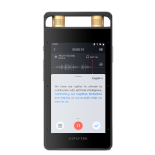
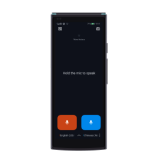
The AI Recorder S6 is designed for professionals in government, business, media, and academia worldwide, delivering professional, intelligent, and secure recording and transcription solutions powered by on-device speech large models for both online and offline scenarios.
-
Does the iFLYTEK Smart RecorderPro(502T) recognize American or British English?
The recorder recognizes both American and British English without preference.
-
The iFLYTEK Smart Recorder Pro(502T) is not accessible when connected to an XP system.
The device is compatible with Windows 7 and above.
-
ill files deleted on the iFLYTEK Smart Recorder Pro(502T) also be deleted from the cloud?
Cloud files will not be deleted simultaneously.
-
If the iFLYTEK Smart Recorder Pro(502T) switches transcription languages multiple times during the transcription process, which language will the final transcribed text be based on?
The language will follow the one set during the last save.
-
The iFLYTEK Smart Recorder Pro(502T) shows the headphone icon, but there is no sound from the external speaker.
1. Check if wired or Bluetooth headphones are connected. If not, proceed to the next step.
2. Restart the device and perform a factory reset (ensure your data is backed up beforehand).
-
Can I directly access the files when the iFLYTEK Smart Recorder Pro(502T) is unlocked and connected to the computer via USB?
There is a time limit. The maximum recording time is 5 minutes. After the recording ends, a new video segment will automatically begin recording.